
Last Updated: November 5, 2026
Quick Summary
Remote performance reviews work best when goals are set before the period starts, performance is documented throughout the year, and employees complete a self-evaluation before the meeting. Managers should use a consistent template with evidence-backed ratings and structure the video call around specific, actionable feedback. A written summary with owners and dates should follow within 24 hours.
- Agree on goals in writing before the review period begins, not at the end.
- Record one or two specific, dated observations per week to document performance.
- Send employees a self-evaluation at least a week before the meeting with three questions.
- Require at least two specific, dated examples for every rating in the review template.
- Send a written summary within 24 hours that lists goals, feedback, and development steps.
Table of Contents
- Why Remote Performance Reviews Need a Different Approach
- Step 1: Set Goals and Expectations Before the Review Period Starts
- Step 2: Document Performance Throughout the Year
- Step 3: Prepare Managers and Employees With Self-Evaluations
- Step 4: Build a Remote Performance Review Template That Stays Consistent
- Step 5: Run the Virtual Review Meeting With Specific, Actionable Feedback
- Remote Performance Review Examples Managers Can Adapt
- Choosing Virtual Performance Management Tools Without Losing Fairness
- Following Through After the Review: Your Next Steps With Your Team
- Frequently Asked Questions
Why Remote Performance Reviews Need a Different Approach
Remote performance reviews fail more often than they should. The manager cannot read the room, the employee cannot see the manager’s notes, and both sides can drift into a 45-minute call that leaves nobody clear on what happens next. A South African study on performance management in remote and hybrid work found that managers had to adapt their methods to these new conditions, though the published summary does not report specific findings Mabaso and colleagues, performance management in remote and hybrid work.
Body language is the first thing that gets lost. MIT’s human resources guidance notes that facial expressions and body language are harder to see when feedback is delivered remotely, which makes reactions harder to gauge MIT Human Resources guidance on performance development in a remote or hybrid workplace.
That changes the job. A remote review needs more preparation, clearer documentation, and a deliberate effort to invite the employee into the conversation. The steps below walk through how we would structure it.
Step 1: Set Goals and Expectations Before the Review Period Starts
Every review is only as fair as the goals it measures against. Set them at the start of the period, not at the end. If goal-setting surfaces performance problems, a structured performance improvement plan gives you a clear path forward.
Write each goal so both people can check progress without a meeting:
- Outcome: what the work should produce
- Measure: how success is observed
- Timeline: when the check-in happens
- Support: what the manager will provide
If a goal cannot be observed from a distance, rewrite it. “Be more proactive” is hard to assess on a video call. “Send a weekly project status update by Friday” is not.
Watch out: goals set after the fact invite hindsight bias. Agree on them in writing before the period begins.
Step 2: Document Performance Throughout the Year
Remote managers lose the casual observations that come from walking past a desk. Replace them with a simple, repeatable log.
Record one or two entries per week. Each entry should include:
- The date and the task or project
- A specific observable action or result
- The impact on the team or customer, if known
Notes such as “Led the Q3 onboarding revision, cutting new-hire ramp questions in half” are useful. Notes such as “Good attitude” are not. Specific entries make the review concrete and easier to defend if questions come up later.
Step 3: Prepare Managers and Employees With Self-Evaluations
Ask the employee to complete a self-evaluation before the meeting. It gives them a voice and shows the manager where their view differs.
Send the form at least a week ahead with three questions:
- Which accomplishments are you most proud of this period?
- Where do you think you fell short of your goals, and why?
- What support would help you in the next period?
Managers should complete their own draft too. Compare the two before the meeting. Gaps are not failures. They are the agenda.
Step 4: Build a Remote Performance Review Template That Stays Consistent
A shared template keeps reviews comparable across people and across managers. Use the same sections every time: goals met, examples of observed work, areas for growth, development plan, and agreed next steps. Keep the rating criteria written down and identical for everyone in the same role, and share the template with employees before the review, not during it. Nobody should learn the rating scale for the first time on a call.
Consistency is necessary but not sufficient. Remote reviews carry a specific bias risk that in-person reviews do not: proximity bias, the tendency to rate people you see and hear from more often more favorably than people who work quietly or in different time zones. A manager who chats with one direct report every morning and exchanges only weekly written updates with another will, without meaning to, have richer examples for the first person. The template is where you correct for that.
Build these safeguards into the form itself:
- Require evidence for every rating. Each rating box should have a field for at least two specific, dated examples. If a manager cannot fill it, the rating is not ready.
- Separate outcomes from visibility. Ask managers to rate against the agreed goals and measures, not against meeting attendance, response speed, or chat presence. A quiet employee who hit every outcome should not be penalized for a low profile.
- Add a calibration step. Before reviews are delivered, have managers in the same function compare their draft ratings for similar roles. Most organizations find that a short calibration session surfaces outliers and forces managers to justify their reasoning.
- Account for different working conditions. Note any material context in the form: a team member covering a different time zone, a temporary accommodation, a dependent-care schedule, or a tooling outage that affected the period. Context is not an excuse; it is part of an accurate record.
- Run a bias check on the language. Before the meeting, reread the written feedback and ask whether the same words would be used for a person of a different background, gender, or tenure. Vague personality language (“not a culture fit,” “lacks executive presence”) is where bias hides; replace it with observed behavior.
Watch out: a template that is identical on paper can still produce inconsistent reviews if managers interpret the rating scale differently. Publish short behavioral anchors for each rating level (what a “meets expectations” looks like in that role) so the scale means the same thing across managers.
Finally, keep the record transparent. Employees should be able to see the goals, the examples, and the criteria their rating was based on. Transparency does not eliminate disagreement, but it makes the review defensible and gives the employee a fair basis to respond.
Step 5: Run the Virtual Review Meeting With Specific, Actionable Feedback
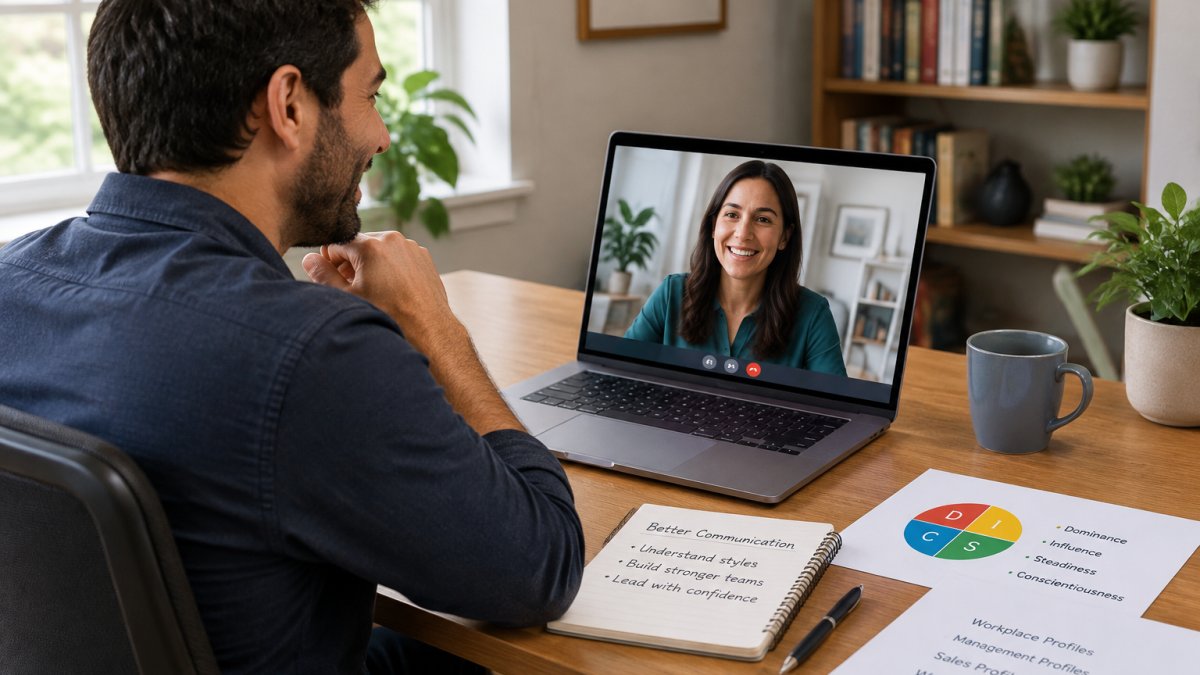
A manager and an employee on a video call, both with notes open, is the standard setup for these meetings. The camera and lighting matter more than most managers expect. Put the camera at eye level and keep your face well lit so the employee can read your reactions. For more on running one-on-one virtual meetings well, see practical guidance on conducting one-on-one virtual meetings.
Take The Official DiSC® Assessment Online Now! →

Structure the call in this order:
- Open by stating the purpose and the agenda.
- Invite the employee’s self-evaluation first.
- Share your observations, each tied to a specific example.
- Discuss one or two areas for growth, with a concrete next step for each.
- Confirm the development plan and the date of the next check-in.
Give feedback in the form “what I saw, what it did, what to try next.” Avoid labels like “not a team player.” Describe the behavior instead.
Leave room for disagreement. If the employee pushes back, ask what they saw that you missed. Two-way communication is what turns a review into a useful conversation.
Design the meeting so everyone can participate
A remote review is not automatically inclusive just because it is on video. Three practical adjustments cover most of the gap:
- Time zones. Rotate meeting times across the team so the same people are not always joining at 6 a.m. or 10 p.m. If a live slot is genuinely impossible, offer a written review plus a shorter follow-up call rather than forcing an inconvenient hour.
- Accessibility. Turn on live captions, share the agenda and any documents in advance in an accessible format, and ask before the meeting whether the employee needs any accommodation (captioning, a sign language interpreter, a quieter connection, or a written summary instead of a call). Do not assume; ask.
- Asynchronous participation. For employees who are uncomfortable speaking on camera or who work across time zones, allow a written response to the review within a set window. The conversation still happens; it just does not have to happen in one 45-minute block.
Handle the hard moments
Remote reviews fail in predictable ways. Plan for them:
- Connectivity problems. If the connection drops mid-conversation, do not push through. Reschedule the remainder and send a short written summary of what was covered so far. A garbled sensitive conversation is worse than a delayed one.
- Emotional reactions. You cannot hand someone a tissue over video. Acknowledge the reaction, pause, and offer to continue later if needed. Do not fill silence with more criticism.
- Disagreement. If the employee disputes a rating, ask them to walk through the evidence they would point to. If new information emerges, say you will review it and follow up in writing by a specific date. If the disagreement is about facts, move it to a written exchange so both sides have the record.
- When to change format. If a conversation becomes clearly disciplinary, involves a formal complaint, or is too sensitive for a video call, move it to an in-person or phone conversation with HR involved. A performance review is not the right venue for a termination discussion.
Watch out: recording a review call without clear consent will damage trust. If you want a record, write a summary instead.
Remote Performance Review Examples Managers Can Adapt
Examples help when you are writing feedback under time pressure. Adapt these to your own roles:
- Strength: “In the last two sprints, you rewrote the handoff checklist. Support tickets from that handoff dropped noticeably. Keep documenting your process like that.”
- Growth area: “The client update on the 14th went out late and without the budget figures. Next time, set a reminder two days before the deadline.”
- Development: “You want to move toward project leadership. Let’s pair you on the Q2 planning review so you can lead one agenda item.”
Each example names the behavior, the result, and the next step. Use that pattern and skip the vague adjectives.
Choosing Virtual Performance Management Tools Without Losing Fairness
Tools can make remote reviews easier to run, but they can also hide unfairness. A tool that tracks keystrokes or online activity measures the wrong thing and raises privacy concerns. Choose tools that store goals, notes, and self-evaluations in one place and that let employees see what is recorded about them.
Before you adopt any platform, check three things:
- Can employees view their own records?
- Can the same rating criteria be applied across managers?
- Does the tool keep data only as long as your policy requires?
If a platform cannot answer those questions clearly, keep looking.
Following Through After the Review: Your Next Steps With Your Team
A review is only useful if the agreed actions happen. Send a written summary within 24 hours that lists the goals, the feedback points, and the development steps with owners and dates.
Schedule the next check-in before the call ends. Then hold it. Most of the trust a remote team builds comes from managers who follow through.
Teams that want help setting up structured assessments can look at how Your Life’s Path supports this work. Its DiSC® Workplace and Management profiles give managers a shared vocabulary for communication styles, and its free EPIC sub-accounts make it simpler to administer those profiles across a remote team. For a broader view of team development before the next review cycle, the Catalyst platform for facilitated learning is worth a look. Visit Your Life’s Path to explore current options.
Here is a quick summary of the follow-through actions the article recommends after a remote review.
|
Action |
When |
Purpose |
|---|---|---|
|
Send written summary |
Within 24 hours |
Records goals, feedback and development steps |
|
Assign owners and dates |
In the summary |
Makes each agreed action accountable |
|
Schedule next check-in |
Before the call ends |
Keeps follow-through on the calendar |
|
Hold the check-in |
As scheduled |
Builds trust through consistent follow-through |
Frequently Asked Questions
How do you conduct a performance review remotely?
Schedule a video meeting with enough time to cover goals, accomplishments and development areas without rushing. Share the review agenda and any documented examples a day ahead so the employee can prepare. Keep your camera on, check the connection before the call, and use the first few minutes to confirm the employee’s view of the year. End by agreeing on two or three follow-up actions and a date to check progress. Pricing and platform choices depend on your organization’s size and tools, so check Your Life’s Path’s website for current pricing or a quote.
How can managers make remote performance reviews fair and unbiased?
Base every rating on observable outcomes tied to written goals rather than on how often someone was visible online. Use the same criteria and template for everyone in a role, and review ratings across managers before they are finalized so that similar work receives similar scores. Keep a dated log of examples throughout the year so that recent events do not outweigh the full review period. Ask employees in different time zones whether the meeting time and format worked for them.
How often should remote employees have performance reviews?
Many organizations pair a formal annual or semiannual review with shorter check-ins every month or quarter. Remote teams benefit from more frequent conversations because managers see less of day-to-day work and may miss early signs of confusion. Use check-ins to adjust goals and document progress, so the formal review becomes a summary rather than a surprise. Match the cadence to your company policy and to the role’s pace of work.
What should a remote employee performance review template include?
A useful template lists the role’s goals, the measures used to assess each goal, a summary of documented examples, the employee’s self-evaluation, the manager’s assessment, development areas, and agreed next steps. Include space for the employee to respond in writing so the record reflects two-way communication. Keep the rating scale and definitions identical across the team. Review the template yearly to confirm the criteria still match current responsibilities.
Remote reviews reward preparation. Set clear goals, document as you go, and run the meeting with specifics instead of impressions. Your Life’s Path offers official DiSC® assessments and workshops that can help your managers and teams build the communication skills that make remote feedback land well. Take The Official DiSC® Assessment Online Now!
